By Jayson · Updated July 2026 · 8-minute read
Quick answer: A Cen-Tech digital scale is Harbor Freight's house-brand line of digital scales. To calibrate the popular model 60332, clear the platform, hold MODE for over 3 seconds until CAL appears, press MODE again to set zero, then place an exact 200g weight in the center and wait for PASS. This is the real sequence from Harbor Freight's own manual — here's the full walkthrough, plus specs, PCS mode, and fixes.
If you picked up a Cen-Tech digital scale from Harbor Freight, you got a genuinely capable little scale for around $15 — but the printed manual is thin, easy to lose, and often skipped entirely. This guide covers what you actually need for the Cen-Tech digital scale: the real specs straight from Harbor Freight's official documentation, how to calibrate it, how to tare it, and what to do when the numbers look wrong.
In this guide
- What a Cen-Tech digital scale is
- Cen-Tech models and specs
- Is a Cen-Tech digital scale accurate enough?
- How to calibrate a Cen-Tech digital scale
- PCS mode: counting small parts
- How to reset a Cen-Tech digital scale
- Reading the units on a Cen-Tech digital scale
- Troubleshooting
- Who the Cen-Tech digital scale actually suits
- FAQ
What a Cen-Tech digital scale is
Cen-Tech is Harbor Freight's own house brand — the name on a whole range of budget tools, including digital scales. So "Cen-Tech digital scale" isn't one product; it's a line spanning small fold-open pocket scales up to a stainless-steel-platform postal scale rated for 110lb packages.
That matters for two reasons. First, the exact buttons and calibration weight vary by model, so always trust your own display over any single guide. Second, because these are inexpensive scales, a quick calibration check now and then is the difference between trusting the reading and just guessing — Harbor Freight's own manual for the 60332 is explicit that "weight readings are for household use only" and that improper calibration will make the scale inaccurate, so this isn't a formality.
Cen-Tech Models and Specs
The specs below are confirmed straight from Harbor Freight's own official 60332 manual — not guessed from a generic listing.
| Model (HF item) | Type | Capacity | Accuracy | Notes |
|---|---|---|---|---|
| 60332 (also sold as 97920) | Compact digital scale, stainless steel platform | 1,000 g | ±0.5 g | 6 units; 2×AAA; 60-sec auto-off; backlit LCD |
| 93543 | Fold-open pocket scale | 500 g | 0.1 g | Hinged lid; coins, jewelry, hobby parts |
| 59492 | Stainless digital postal scale | 110 lb | 0.1 oz | Separate display console on a coiled cable |
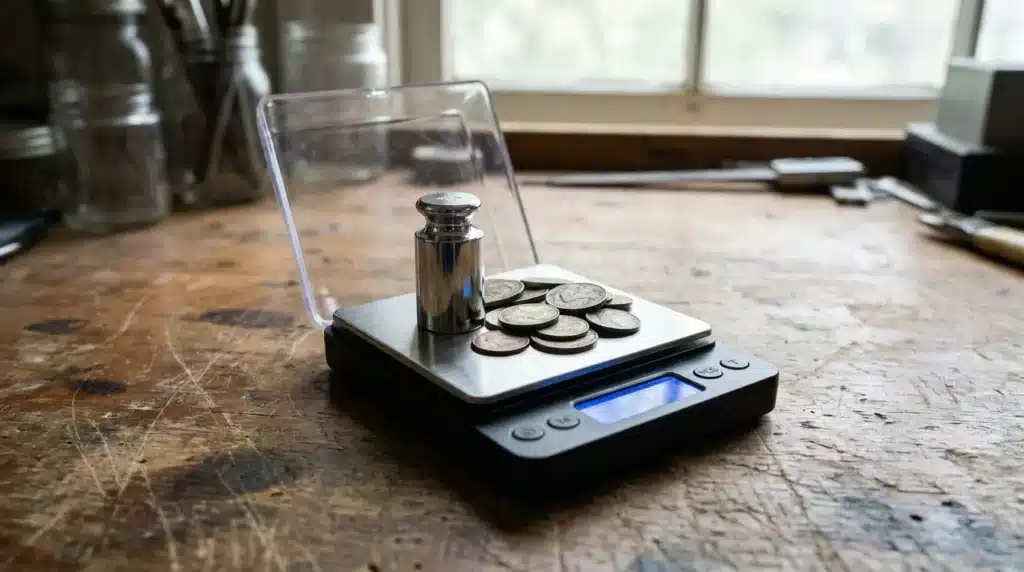
The 60332 is the one most people mean by "Cen-Tech digital scale," and it's the model this guide's calibration steps are written for. Despite older listings sometimes describing it as a "bench" scale, the real unit pictured in Harbor Freight's own manual is a compact, handheld device — closer in size to the 93543 pocket scale than to a tabletop unit — with a rectangular stainless steel weighing platform set into a black plastic body, a backlit LCD display, and a removable protective cover over the platform.
Its six units — grams, ounces, grains, pennyweights, troy ounces, and carats — make it popular with hobbyists weighing coins, jewelry, and reloading components, the same crowd the 93543 pocket scale serves at a smaller 500g capacity.
The other Cen-Tech scales at a glance
- Cen-Tech 93543 Digital Pocket Scale — the smaller, fold-open pocket model, 500g capacity, 0.1g readability, calibrated with a 200g or 500g weight depending on the unit.
- Cen-Tech 59492 Digital Postal Scale — a 110lb stainless steel shipping scale with a separate display console on a coiled cable, a genuinely different job from the gram-level 60332.
Each has its own full guide linked above; this page focuses on the 60332 and the general Cen-Tech approach that applies across the line.
Is a Cen-Tech Digital Scale Accurate Enough?
Honest answer: for most people, yes — within limits. The Cen-Tech digital scale's ±0.5 g accuracy is plenty for weighing coins and jewelry to the gram, portioning reloading components by grain, or general hobby use, as long as you keep it calibrated.
What it isn't is a lab or fine-jewelry instrument, and Harbor Freight's own manual is upfront about this: it explicitly states the Cen-Tech digital scale is not for commerce or trade and its readings are for household use only. If you need to resolve 0.01 g — weighing gold by the tenth of a gram, or grading gemstones — a budget Cen-Tech digital scale won't get you there reliably, and you'll want a dedicated milligram-precision jewelry scale instead. If you need a legally defensible reading for sales or billing, you need an NTEP-certified, legal-for-trade scale, not a $15 hobby unit — see our legal for trade scales guide for what that actually requires.
Either way, that ±0.5 g only holds if the Cen-Tech digital scale stays calibrated. Check it against a known weight every so often, and recalibrate the moment a reading looks off.
How to Calibrate a Cen-Tech Digital Scale
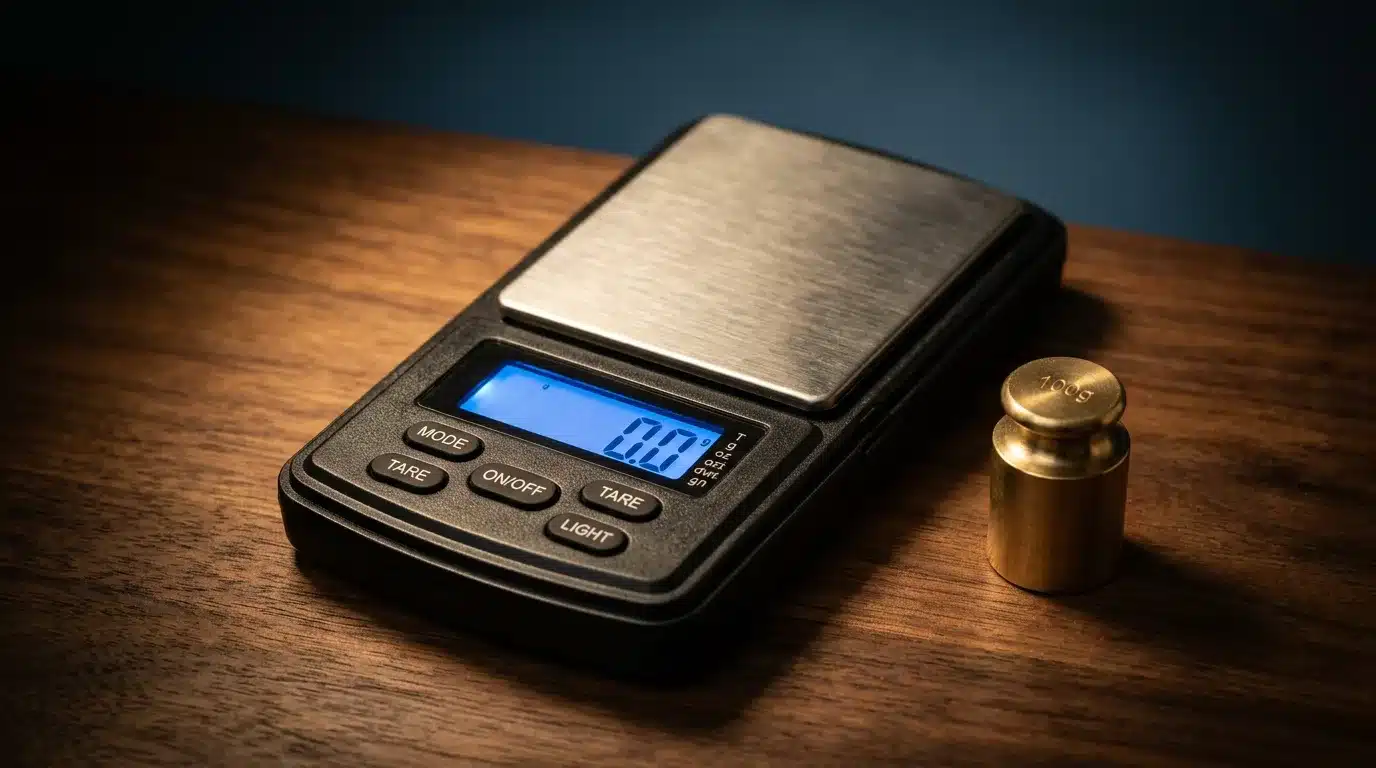 The platform needs to be completely empty, clean, and dry before you start — the manual is specific about this.
This is the exact calibration sequence for the Cen-Tech digital scale, model 60332, taken directly from Harbor Freight's official manual, not a generic guess.
You'll need: an exact 200g calibration weight (not included with the Cen-Tech digital scale). A proper certified weight is best — see our guide on calibration weights for which class to buy. In a pinch, 40 clean US nickels come to 200g (each is exactly 5.000g; see how much a nickel weighs), but coins wear and vary, so treat that as a rough substitute, not a certified one.
- Clear and level the platform. Make sure nothing is on it and it's clean and dry — Harbor Freight's manual specifically calls out clean and dry as a requirement, not just tidy. Place the Cen-Tech digital scale on a level, flat, hard, stable surface.
- Power on. Press ON/OFF and wait for the display to settle at a stable 0.0g.
- Enter calibration mode. Press and hold MODE for more than 3 seconds until CAL shows on the display.
- Confirm the zero reading. Press MODE again to calibrate the 0.0 reading with the platform still empty.
- Place the weight. The display flashes 200.0g — this is fixed for the 60332, not model-dependent like some other Cen-Tech units. Place an exact 200g weight in the center of the platform.
- Confirm PASS. If calibration succeeds, the scale shows PASS and returns to normal weighing. If it doesn't pass, Harbor Freight's own manual says to have the scale serviced — a failed calibration on this model usually means the weight wasn't exactly 200g rather than a fixable software issue.
If it doesn't say PASS, your weight probably isn't exactly 200g, or the platform wasn't clean and level. The steps here are Cen-Tech-specific, but the underlying principles are the same for any scale — our main guide on how to calibrate a digital scale covers them in more depth.
PCS Mode: Counting Small Parts
One feature worth knowing about on the Cen-Tech digital scale that's easy to miss: PCS (piece count) mode, for counting identical small objects by weight instead of by hand. Per the official manual, the exact setup is more specific than most generic guides assume:
- Place a batch of the objects on the platform — the count must be 25, 50, 75, or 100 pieces, not an arbitrary number.
- Press and hold PCS for 3 seconds.
- Press MODE to select which of those four reference counts matches what's actually on the platform.
- Press PCS to confirm. The display shows pcs, and from then on the Cen-Tech digital scale estimates quantity instead of weight for same-sized objects placed on it.
This only works accurately if every piece weighs the same — mixed hardware, beads, or components of different sizes will throw the count off, since the scale is really just dividing total weight by an average piece weight it calculated from your reference batch.
How to Reset a Cen-Tech Digital Scale
"Reset" means two different things, so here's both — accurately. Harbor Freight's manual does not document a secret factory-reset button combo for the Cen-Tech digital scale, so any guide telling you to "hold both buttons until four lights flash" is inventing it — this display doesn't have four lights. Here's what actually works.
Reset the display to zero (the everyday reset): 1. With the platform empty, the scale zeroes automatically at startup and shows a stable 0.0g. 2. To ignore a container's weight, set the empty container on first, then press TARE — now only what you add afterward is counted. Press TARE again with the container removed to clear it.
Reset a scale that's misbehaving: 1. Power it off and on. This clears any stuck tare or display state. 2. If it still won't zero, replace the batteries with a fresh matched pair — never mix old and new, or different battery chemistries, per the manual's own safety warning. This forces a clean restart, but it does not wipe calibration. 3. Clean under and around the platform and set the scale on a level, draft-free surface. 4. If it still reads wrong, recalibrate using the steps above. That's the real fix for accuracy — there's no separate "factory reset" that restores calibration on this model.
That order clears almost every "my Cen-Tech digital scale won't reset" problem — no imaginary button codes required.
Reading the Units on a Cen-Tech Digital Scale
Press MODE with a short press (not the 3-second hold used for calibration) to cycle through the units. On the Cen-Tech digital scale that's grams (g), ounces (oz), grains (gn), pennyweights (dwt), troy ounces (ozt), and carats (ct) — all shown as small indicator icons down the side of the display, exactly as Harbor Freight's manual illustrates. Pick the one that matches what you're weighing — grains and pennyweights for reloading and precious metals, carats for gemstones, grams for almost everything else.
For a sense of what these weights feel like in practice, our references on what weighs 100 grams and coin weights are handy real-world checks.
Troubleshooting
| Symptom | Likely cause | Fix |
|---|---|---|
| Won't hold zero | Draft, debris, or low battery | Move away from vents, clean under the platform, replace batteries |
| Shows Lo | Low battery | Replace both AAA batteries with a fresh matched pair |
| Reads high or low by a set amount | Calibration has drifted | Recalibrate with an exact 200g weight |
| Turns off mid-use | Auto shut-off after 60 seconds idle | Tap a button or re-power; weigh promptly |
| Shows O,Ld (overload) | Too much weight on the platform | Remove the load; keep under the 1000g rated capacity |
| Calibration won't PASS | Weight isn't exactly 200g, or platform isn't level/clean/dry | Use a certified 200g weight on a level, clean, dry surface |
If the Cen-Tech digital scale was dropped, calibration may not fix it — a damaged load cell reads wrong no matter what you do, and Harbor Freight's manual directs a failed calibration to service rather than a home fix. Accurate weighing ultimately comes down to scale calibration in general, and our complete guide explains why scales drift and how to keep yours honest.
Who the Cen-Tech Digital Scale Actually Suits
Budget scales like the Cen-Tech digital scale occupy a specific niche, and knowing whether you're in it saves both money and frustration.
Good fit: hobbyists weighing coins, small jewelry pieces, beads, or craft components; anyone who wants pennyweight and troy ounce units without manual gram conversions; casual reloading where a rough gram-level check is enough; counting small identical parts with PCS mode.
Not a good fit: anything requiring documented, traceable accuracy (lab work, pharmaceutical dosing, legal-for-trade commercial use — the manual itself rules this out); precision jewelry appraisal where fractions of a gram matter; any application where a failed measurement has real financial or safety consequences.
A freshly calibrated Cen-Tech digital scale checked against a known weight can read quite well for its price point. What it lacks is any built-in verification, certificate, or audit trail — if it drifts silently between checks, nothing tells you. For casual use, that's an acceptable trade-off. For anything where being wrong actually costs you, it isn't.
Frequently asked questions
What is a Cen-Tech digital scale? Cen-Tech is Harbor Freight's house brand of digital scales — a line, not one model. The 60332 is a 1,000 gram compact digital scale with a stainless steel platform, accurate to ±0.5 gram, and there are separate smaller pocket and larger postal models under the same brand.
What weight do I need to calibrate a Cen-Tech 60332? An exact 200g weight, per the official Harbor Freight manual. Other Cen-Tech models may ask for a different value — always use whatever the display flashes. Forty clean US nickels make 200g as a rough stand-in.
How do I reset a Cen-Tech digital scale? There's no dedicated factory-reset button on the 60332. Press TARE to zero a container; if it won't hold zero, power-cycle it, clean under the platform, replace the batteries, and recalibrate.
Why is my Cen-Tech digital scale inaccurate? Usually a low battery, an unlevel surface, debris, or drifted calibration. Fix those, re-zero, and recalibrate with an exact 200g weight if it still reads wrong.
Can I use a Cen-Tech digital scale for commerce or trade? No. Harbor Freight's own manual states weight readings are for household use only and the Cen-Tech digital scale isn't legal for commerce or trade. For that, you need an NTEP-certified, legal-for-trade scale instead — see our legal for trade scales guide.
Are there other Cen-Tech digital scale models? Yes. Besides the 60332 (1,000g digital scale), Harbor Freight sells the Cen-Tech Digital Pocket Scale (item 93543) and the Cen-Tech 110lb Stainless Steel Digital Postal Scale (item 59492) — same brand, different jobs.
Related Guides
- Cen-Tech 93543 Digital Pocket Scale — scalecalibration.net/cen-tech-93543-digital-pocket-scale/ — the smaller, fold-open sibling.
- Cen-Tech 59492 Digital Postal Scale — scalecalibration.net/cen-tech-59492-digital-postal-scale/ — the 110lb shipping scale in the same brand line.
- How to Calibrate a Digital Scale — scalecalibration.net/how-to-calibrate-a-digital-scale/ — the full method for any scale.
- Calibration Weights: Which Class & Size — scalecalibration.net/calibration-weights/ — what to buy for that 200g check.