By Jayson · Updated July 2026 · 7-minute read
Quick answer: To calibrate the Cen-Tech 93543 digital pocket scale, clear the platform, hold UNIT until the display shows CAL, press UNIT again, then place the exact weight it flashes — 200g or 500g, depending on your unit — on the platform. Wait for PASS. Here's the full walkthrough for the Cen-Tech 93543, straight from the owner's manual.
The Cen-Tech 93543 is Harbor Freight's compact pocket scale — small enough to fold shut and slip in a drawer, built for coins, jewelry, and small hobby parts. Harbor Freight's own product listing is thin on technical detail, but the scale's actual owner's manual documents a real, specific calibration procedure. Here it is, without any guesswork.
In this guide
- What the Cen-Tech 93543 actually is
- What's documented vs. what isn't
- How to calibrate it, step by step
- Using coins as a calibration substitute
- Reading the units: g, oz, dwt, ozt
- The piece-counting mode
- Troubleshooting FAIL and drift
- Is it accurate enough?
- Who this scale actually suits
- Common mistakes
- FAQ
What the Cen-Tech 93543 Actually Is
The Cen-Tech 93543 is Harbor Freight's small, fold-open digital pocket scale, sold under the Cen-Tech house brand alongside the larger Cen-Tech 60332 bench scale. It's aimed at people weighing small items — coins, jewelry pieces, small hobby components — where a full-size kitchen or bathroom scale is overkill.
The unit folds closed to protect the weighing platform when not in use, which is the main physical distinction from Cen-Tech's other scale lines. Internally, it's built on a shared platform Harbor Freight documents as the PS200/PS300/PS500 family — meaning the Cen-Tech 93543 you own may behave slightly differently depending on exactly which internal variant you have, particularly around the calibration weight it requests.
This shared-platform approach is common in the budget scale market: a manufacturer designs one internal mechanism, then sells it under several model numbers or a single umbrella number with minor firmware variations. It's not a defect or inconsistency worth worrying about — it just means the honest answer to "what weight does my scale want" is "check the display," not "look it up online," since the online listing genuinely can't tell you which variant you have.
What's documented vs. what isn't
In the interest of not making anything up: Harbor Freight's own product page for the Cen-Tech 93543 is genuinely sparse. Here's an honest breakdown.
What's confirmed — from the official manual, the product listing, and the specs printed directly on the scale's own housing (visible on Harbor Freight's official product photo): - Capacity: 500g — printed on the unit itself, beneath the display - Readability: 0.1g — printed right next to the capacity figure - Body: solid black plastic with a hinged flip-top lid that covers the platform when closed - Controls: a 2×2 button grid — ON/OFF and UNIT on top, ZERO/TARE and PCS below - Units: grams (g), ounces (oz), pennyweights (dwt), troy ounces (ozt) — all four shown as small indicator icons down the left edge of the display - "CEN-TECH" branding and the "93543" model number are printed directly below the display - Piece-counting minimum: objects should weigh more than 0.4g each for the counting function to stay accurate
What still isn't published anywhere, including on the unit itself: - Battery type - Exact physical dimensions
Those two you'll need to check on your own unit — the battery compartment when you're in there, and a tape measure for dimensions. Everything else above is now confirmed directly from official product photography, not guesswork.
How to calibrate it, step by step
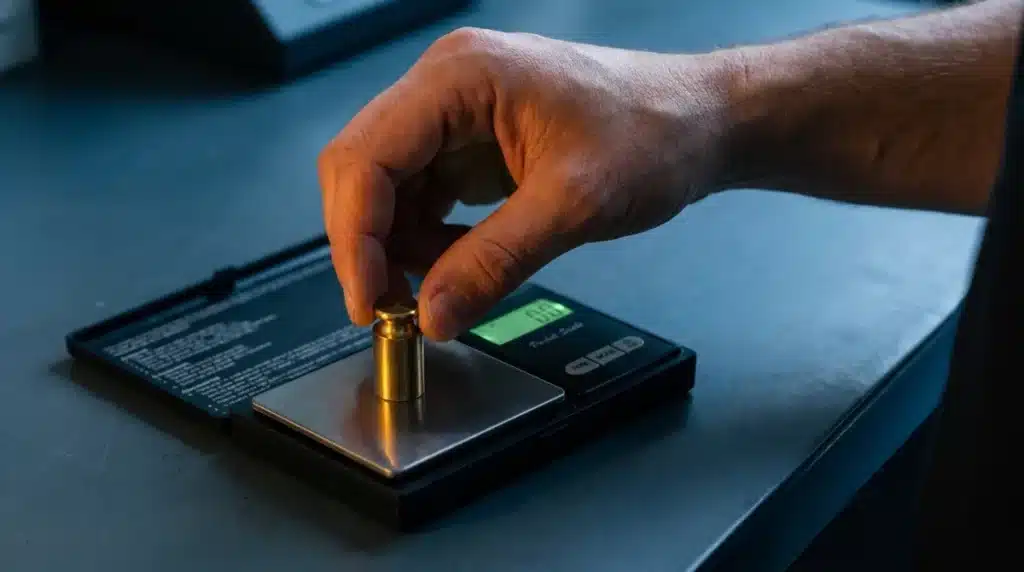
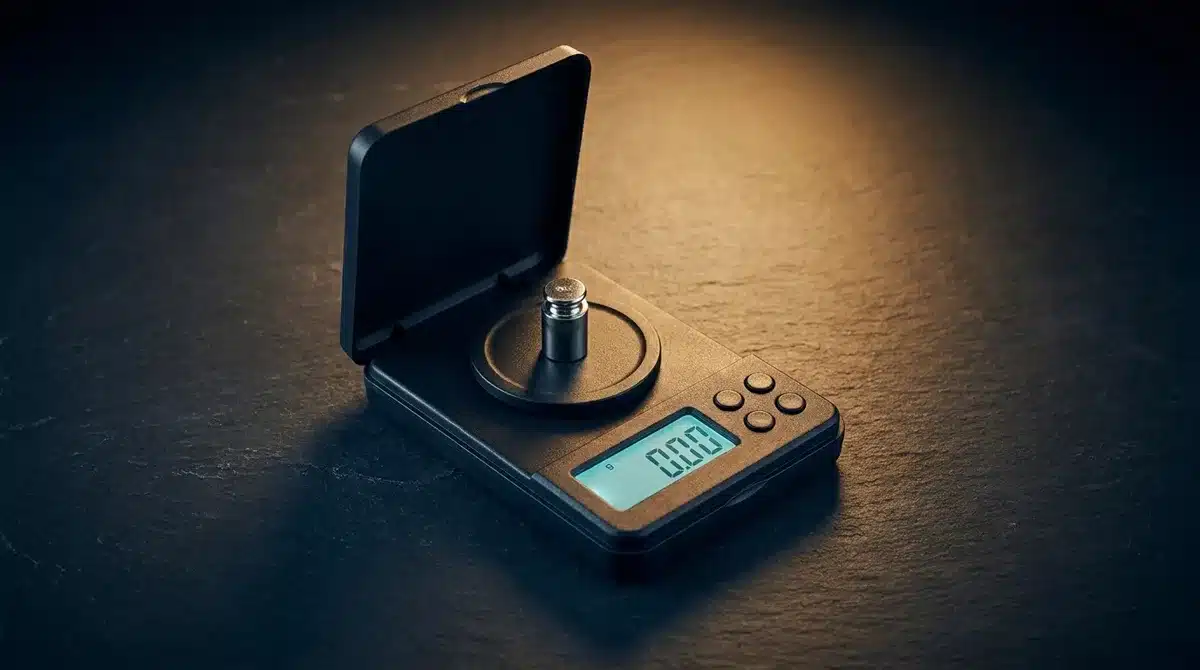 Center the calibration weight on the platform and wait for the display to settle before expecting a result.
This sequence comes directly from the scale's owner's manual.
- Clear the platform. Nothing should be sitting on it. Press ON/OFF to power the scale on.
- Enter calibration mode. Press and hold UNIT until the display shows CAL.
- Confirm and read the target. Press UNIT again. CAL flickers briefly, then the display shows the weight it wants, in grams. The Cen-Tech 93543's own housing is printed with "CAPACITY: 500g", so 500g is the expected target for this model — but always trust what your display actually shows over any printed guide, in case your unit is a variant.
- Place the matching weight. Put a calibration weight that exactly matches the displayed number in the center of the platform.
- Wait for PASS. The display shows PASS and returns to normal weighing. If it shows FAIL instead, the scale powers itself off automatically — clear the platform and start over from step 1.
If you're not sure whether your unit wants 200g or 500g, don't guess — the display tells you every time you enter calibration mode, so there's no need to remember it between sessions.
Using coins as a calibration substitute
If you don't have a certified calibration weight handy, US nickels are a genuinely useful stand-in, since each one is manufactured to a precise 5.000g specification.
- Display asks for 500g (the standard target for this model, per its printed capacity)? That's 100 clean US nickels — two and a half standard coin rolls. See what weighs 500 grams for the details.
- Display asks for 200g instead (if your unit is a lower-capacity variant)? That's 40 clean US nickels — one full roll. See what weighs 200 grams for the math.
Worn or dirty coins introduce small errors, so this is a field substitute, not a lab-grade solution. For anything genuinely precision-dependent — jewelry appraisal, precious metals — a real certified calibration weight removes that variable entirely.
Reading the units: g, oz, dwt, ozt
Press UNIT with a short press (not the hold used to enter calibration mode) to cycle through the four supported units:
| Unit | Full name | Common use |
|---|---|---|
| g | Grams | General small-item weighing |
| oz | Ounces | Everyday US household reference |
| dwt | Pennyweight | Jewelry, precious metals |
| ozt | Troy ounce | Precious metals, bullion |
The inclusion of pennyweight and troy ounce — units a standard kitchen scale never offers — is the clearest signal of who this scale is actually built for: jewelers, coin collectors, and anyone weighing precious metal in small quantities, where standard avoirdupois ounces aren't the industry norm.
The piece-counting mode
A feature worth knowing about, since it's genuinely useful and easy to miss: the Cen-Tech 93543 has a PCS (piece count) mode, which estimates how many identical small items you have based on their combined weight.
The manual specifies that individual pieces should weigh more than 0.4g each for the count to stay accurate — below that, the scale's resolution isn't fine enough to reliably distinguish "one more piece" from normal reading noise. This mode is genuinely handy for counting small parts, beads, or hardware without counting by hand, as long as the pieces are reasonably uniform in weight.
Troubleshooting FAIL and drift
If calibration shows FAIL: - Confirm your weight exactly matches the displayed target (200g or 500g) — a close-but-not-exact substitute will fail. - Make sure the platform was genuinely empty when you started, not just visually clear. - Check that the scale is on a level, stable surface, away from drafts or vibration. - Retry the full sequence from the beginning — a failed attempt auto-powers the scale off, it doesn't leave you mid-sequence.
If the scale reads inconsistently during normal use: - Press TARE/ZERO with the platform empty to reset to 0.0. - Clean the platform — small debris under a pocket-scale platform has an outsized effect given how light the objects it's designed for are. - Replace the battery if readings seem sluggish or the display is dim. - If problems persist after a clean recalibration, the load cell itself may have been damaged by an overload or a drop — recalibration can't fix physical damage.
Is it accurate enough?
Honest answer: for its intended use — coins, small jewelry pieces, hobby parts — yes, as long as it's kept calibrated. It's not a laboratory instrument, and Harbor Freight doesn't market it as one.
Where it earns its keep is the unit selection: having dwt and ozt built in natively means jewelry and precious-metal work doesn't require manual conversion from grams. Where you'd want something else entirely is genuine lab or pharmaceutical work requiring documented, traceable accuracy — that calls for a scale with an actual accuracy class certification, not a budget pocket scale, however well-calibrated.
Either way, that accuracy only holds if you actually check it periodically. A pocket scale that's been dropped, exposed to moisture, or just used for months without a calibration check is a pocket scale you're trusting on faith, not evidence.
Who this scale actually suits
Budget pocket scales like the Cen-Tech 93543 occupy a specific niche, and knowing whether you're in it saves both money and frustration.
Good fit: hobbyists weighing coins, small jewelry pieces, beads, or craft components; anyone who wants dwt/ozt units without doing manual gram conversions; casual reloading or supplement measurement where a rough gram-level check is enough; small parts counting for repair or hobby work.
Not a good fit: anything requiring documented, traceable accuracy (lab work, pharmaceutical dosing, legal-for-trade commercial use); precision jewelry appraisal where fractions of a carat matter; any application where a failed measurement has real financial or safety consequences.
The dividing line isn't really about whether the scale can be accurate — a freshly calibrated Cen-Tech 93543 checked against a known weight can read quite well for its price point. The dividing line is about consequences of drift going unnoticed. A budget pocket scale has no built-in verification, no certificate, and no audit trail — if it drifts silently between checks, nothing tells you. For casual use, that's an acceptable risk. For anything where being wrong actually costs you, it isn't.
Common mistakes
- Assuming the calibration weight without checking the display. Since Cen-Tech 93543 units vary between 200g and 500g targets, using the wrong assumed value guarantees a FAIL every time.
- Using worn or dirty coins for the nickel substitute. Circulated nickels can be a few milligrams light — fine for a rough check, not for anything precise.
- Weighing pieces under 0.4g in PCS mode and expecting accuracy. The manual's own stated minimum exists for a reason — lighter objects push the counting function past its reliable resolution.
- Skipping recalibration after a drop. Even a short fall onto a hard surface can knock a small scale's load cell out of calibration, sometimes without any visible damage.
- Overloading past the printed 500g capacity. It's easy to miss the small print on the housing — check it before weighing anything you suspect is heavier.
- Storing the scale folded with debris on the platform. Small particles trapped when the unit closes can work their way into the mechanism over time — a quick wipe before closing it away costs nothing.
- Ignoring temperature swings between where the scale is stored and where it's used. Moving a scale from a cold car or garage straight into use without letting it acclimate can cause temporary reading errors that look like a calibration problem but aren't.
Frequently asked questions
What calibration weight does the Cen-Tech 93543 need? It varies by unit — the display will flash either 200 grams or 500 grams in calibration mode. Always use whatever value it shows, not an assumed number.
What units does the Cen-Tech 93543 support? Grams (g), ounces (oz), pennyweights (dwt), and troy ounces (ozt) — press the UNIT key to cycle through them.
What's the maximum capacity of the Cen-Tech 93543? 500g, with a readability of 0.1g — both printed directly on the scale's housing beneath the display.
Can I use nickels to calibrate the Cen-Tech 93543? Yes, as a rough substitute. If your display asks for 200g, 40 clean US nickels (5g each) get you there. If it asks for 500g, that's 100 nickels — accurate coins work, but a certified weight is more reliable for real precision.
Why does my Cen-Tech 93543 show FAIL during calibration? Usually the calibration weight doesn't exactly match the displayed target, the platform wasn't empty when you started, or the surface isn't level and stable. Clear the platform and try again with the exact requested weight.
What is PCS mode used for? Piece counting — the Cen-Tech 93543 estimates how many identical small items you have by weighing a batch and dividing by an average piece weight. It works reliably as long as each piece weighs more than 0.4g.
How is the Cen-Tech 93543 different from the Cen-Tech 60332? The 60332 is a larger bench-style scale with a 1,000g capacity and six units; the Cen-Tech 93543 is the smaller, fold-open pocket model built for coins and jewelry, with a documented calibration procedure but no published capacity figure. See our main Cen-Tech guide for the 60332's full specs.
Does the Cen-Tech 93543 come with a calibration weight? Harbor Freight's product page doesn't confirm this either way. If your unit didn't include one, the nickel substitute above or a purchased calibration weight both work.
How often should I calibrate a pocket scale like this? Before any session where accuracy genuinely matters, and at minimum monthly with regular use. Always recalibrate after a drop, a battery change, or moving the scale somewhere with a different temperature or humidity level.
Why does my scale show different numbers for the same object each time I weigh it? This usually points to an uncalibrated or drifting scale, an unstable surface, or debris under the platform. Run through the troubleshooting steps above, starting with a clean recalibration using the exact weight the display requests.
Is dwt the same as a gram measurement, just relabeled? No — pennyweight (dwt) is a genuinely different unit, historically used in the jewelry trade, equal to 1.555 grams. The scale converts internally when you switch units; it isn't simply displaying grams under a different label.
Related guides
- Cen-Tech Digital Scale: How to Calibrate, Reset & Use It — scalecalibration.net/cen-tech-digital-scale-a-short-guide/ — the main Cen-Tech 60332 guide.
- How to Calibrate a Digital Pocket Scale — scalecalibration.net/how-to-calibrate-digital-pocket-scale/ — the general method, with the coin calculator and accuracy tester.
- What Weighs 200 Grams — scalecalibration.net/what-weighs-200-grams/ — the nickel-roll math for one calibration target.
- Calibration Weights: Which Class & Size — scalecalibration.net/calibration-weights/ — for genuine precision work beyond coins.